How to watch movies on CarPlay while parked
A charging stop or a long wait in a parking lot is a good time for a movie. Put your own movie files on the iPhone, and you can play them on the car screen whenever you're parked.
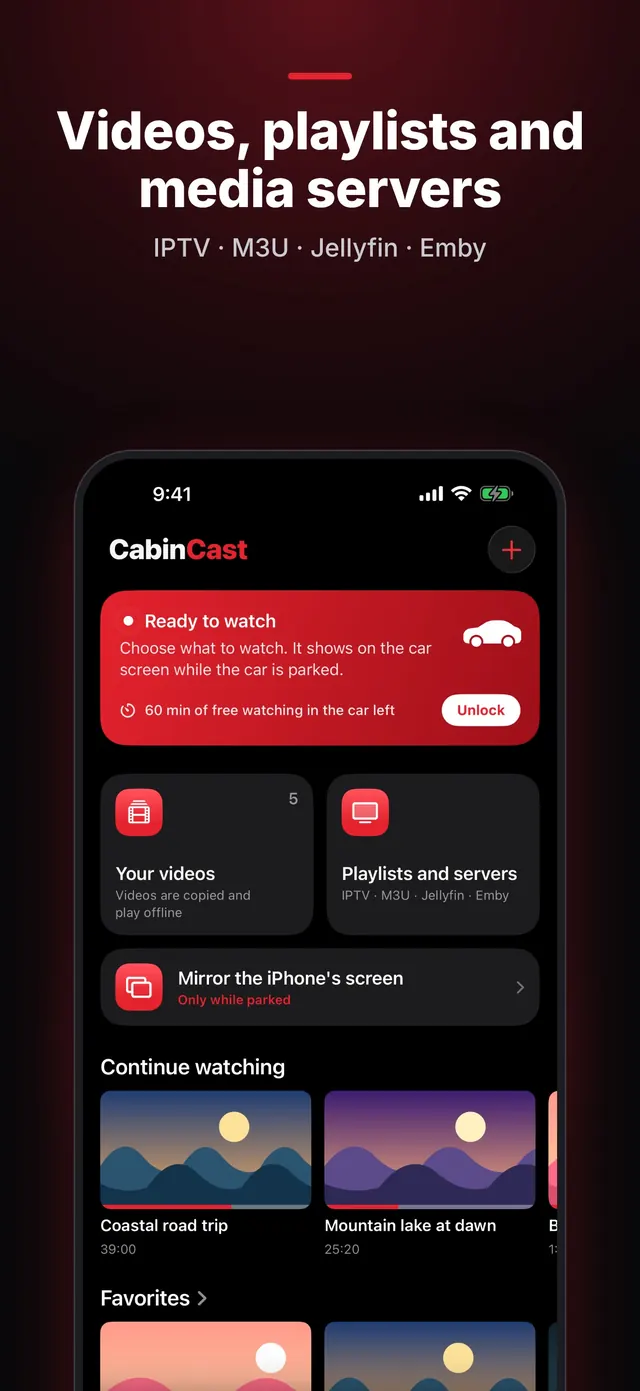
Get your movies onto the iPhone
Save the movie files to the Files app (from your computer, iCloud Drive or a USB drive), or keep them in Photos. Then, in CabinCast, tap + → Copy from Files or Pick from Photos. The app keeps its own copy, so the movie plays offline, even where there's no signal.
Play a movie on the car screen
- Park and connect the iPhone.
- Tap CabinCast on the CarPlay screen.
- Open Your videos and pick the movie.
The buttons on the car screen pause the movie or skip 15 seconds forward or back. CabinCast also remembers where you stopped, and Continue watching brings you back to that moment.
 CabinCast — Video, IPTV & Screen Mirroring
Download on the App Store
Audio tracks and subtitles
Many MKV files include multiple audio tracks and subtitles. You choose them in the player on the iPhone. MKV and AVI play through the built-in VLC engine.
Movies from your own server
Keep your films on a Jellyfin or Emby server at home? Add the server in CabinCast and browse the library on the car screen. Setup is covered in Jellyfin and Emby on CarPlay.
Only while parked
Once the car moves, the picture goes, but you can still hear the movie. When you've stopped again, tap Video to bring the picture back. Location access is required to watch on the car screen.
Questions
Which movie formats work?
MP4 and MOV, plus MKV, AVI and other formats that CabinCast handles with its built-in VLC engine.
Can I watch rented or streaming-service movies?
CabinCast plays the files, playlists and servers you add yourself. It doesn't include or unlock streaming services. Many of them also protect their video, which iOS turns black in screen mirroring.
Is it free?
Watching on the iPhone is always free, and so is your first hour on the car screen. With CabinCast Pro, there's no time limit.
CarPlay guides
- How to watch videos on CarPlay (2026)
- CarPlay video not working? How to fix no picture on the car screen
- IPTV on iPhone and CarPlay: play M3U playlists
- What is an M3U playlist? M3U and M3U8 explained
- CarPlay screen mirroring and AirPlay: show your iPhone on the car screen
- How to watch TV on CarPlay in your car
- Jellyfin and Emby on CarPlay
- CarPlay video apps and players: how video works on CarPlay in iOS 26
- CarPlay AI box vs a CarPlay video app: which one to choose