How to watch videos on CarPlay (2026)
You can watch videos on CarPlay as long as the car is parked. CarPlay has no video app of its own, so you need a third-party app that can show video on the car screen, plus something of your own to watch.
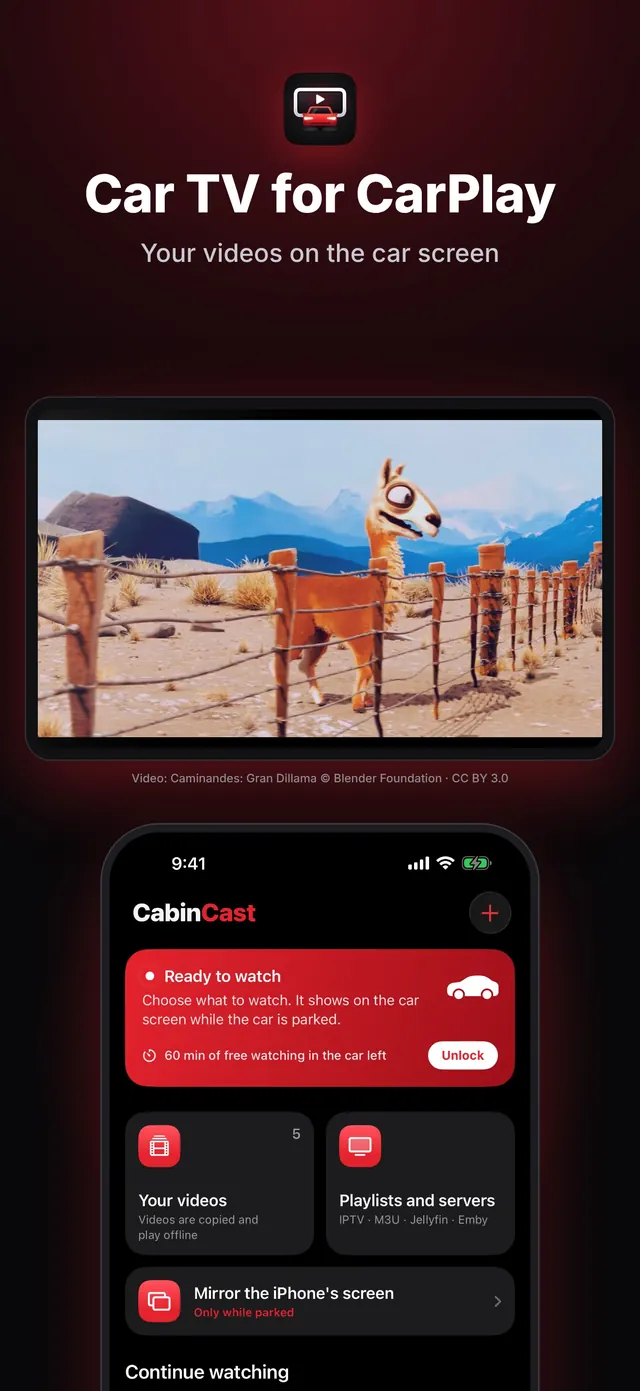
What you need
- An iPhone on iOS 26 or later
- A car or head unit with CarPlay, wired or wireless
- A CarPlay video app such as CabinCast
- Something to watch: your own video files, an IPTV playlist (M3U) or a Jellyfin or Emby server
- Location access for the app, because CabinCast won't show video on the car screen without it
Step by step
- Park the car.
- Open CabinCast on the iPhone and add a source: tap +, then pick videos from Files or Photos, a playlist link, a video link or your media server.
- Connect the iPhone to the car with a cable or over wireless CarPlay.
- On the CarPlay screen, tap CabinCast and choose a video.
- Pause, skip 15 seconds or hide the picture with the buttons on the car screen.
 CabinCast — Video, IPTV & Screen Mirroring
Download on the App Store
What happens when you drive
The picture is only for when you're parked. The moment the car signals that it's moving, or GPS shows more than 10 km/h (about 6 mph), the picture disappears and the sound carries on, like an audio app. It stays off until you bring it back: once you've stopped, tap Video. CabinCast uses the iPhone's location to detect motion, so without location access there's no picture on the car screen.
Which cars show video
Cars with AirPlay video have their own player, and CabinCast hands the video over to it. This requires iOS 26.4 or later and a car maker that has added the feature. In other cars, CabinCast shows the picture in its own window on the CarPlay screen. Results vary by car and head unit, so use the free hour on the car screen to see how yours does. No picture? See CarPlay video not working.
Video formats
MP4 and MOV play in Apple's player. MKV, AVI and most other formats go through the built-in VLC engine. Anything you copy from Files or Photos plays offline. Playlists can be M3U or M3U8, added by link or as a file.
Questions
Can I watch videos on CarPlay without jailbreaking?
Yes. CabinCast is a regular App Store app, and it shows video on the car screen only while you're parked.
Can passengers watch while I drive?
Not on the CarPlay screen. The picture goes away once the car moves, though the sound keeps playing. Passengers can watch on their own phones.
Do I need the internet?
Not for videos copied from Files or Photos, which play offline. IPTV streams, links and media servers need a connection.
Can a CarPlay adapter add video?
A plain wireless CarPlay adapter can't. An AI box swaps CarPlay for its own Android screen, while a CarPlay video app like CabinCast runs on your iPhone and leaves CarPlay as it is.
CarPlay guides
- CarPlay video not working? How to fix no picture on the car screen
- How to watch movies on CarPlay while parked
- IPTV on iPhone and CarPlay: play M3U playlists
- What is an M3U playlist? M3U and M3U8 explained
- CarPlay screen mirroring and AirPlay: show your iPhone on the car screen
- How to watch TV on CarPlay in your car
- Jellyfin and Emby on CarPlay
- CarPlay video apps and players: how video works on CarPlay in iOS 26
- CarPlay AI box vs a CarPlay video app: which one to choose