CarPlay screen mirroring and AirPlay: show your iPhone on the car screen
Screen mirroring puts whatever is on your iPhone onto the car display. With CabinCast, you start it from the app while you're parked.
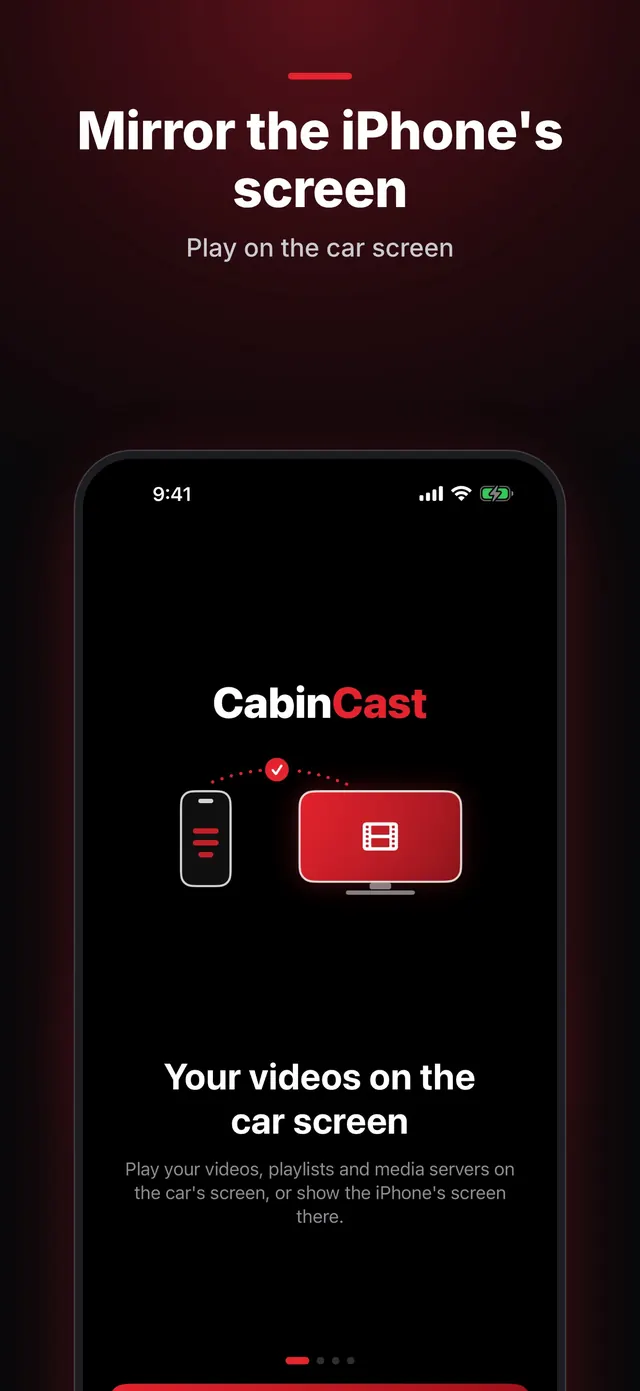
Start mirroring
- Park and open CabinCast on the CarPlay screen.
- On the iPhone, go to the Watch tab and tap Mirror the iPhone's screen.
- Confirm the screen broadcast when iOS asks, and the iPhone's screen appears on the car display.
Control it on the iPhone
The car screen only shows the picture. You do everything on the iPhone, and turning it sideways gives a wider image. To stop, tap Stop mirroring in CabinCast or end the broadcast in Control Center.
 CabinCast — Video, IPTV & Screen Mirroring
Download on the App Store
AirPlay to the car
Since iOS 26.4, cars with AirPlay video can show video from AirPlay apps on the CarPlay screen while parked. The car maker has to add this, though, and many cars don't have it yet. Where a car does, CabinCast plays your videos in the car's own player. Where it doesn't, mirroring with CabinCast puts the iPhone's screen on the car display instead.
Why some apps go black
Many streaming apps protect their video, and iOS blacks it out in any screen broadcast. Those apps can't be mirrored, and that's an iOS rule rather than a CabinCast setting.
Only while parked
As soon as the car moves, the mirrored picture disappears, but the sound keeps playing. Location access is required to watch on the car screen.
Questions
Is CarPlay screen mirroring wireless?
It works with both wired and wireless CarPlay. The picture travels from the iPhone to the car over the CarPlay connection.
Can I mirror without CarPlay?
No. CabinCast shows the picture on a CarPlay screen, so the car or head unit needs CarPlay.
Does mirroring cost extra?
No. It counts toward the same free hour on the car screen, and CabinCast Pro removes the limit.
Can I AirPlay to my car?
Only if your car supports AirPlay video, which takes iOS 26.4 or later plus support from the car maker. If it doesn't, mirror the iPhone's screen with CabinCast while parked.
CarPlay guides
- How to watch videos on CarPlay (2026)
- CarPlay video not working? How to fix no picture on the car screen
- How to watch movies on CarPlay while parked
- IPTV on iPhone and CarPlay: play M3U playlists
- What is an M3U playlist? M3U and M3U8 explained
- How to watch TV on CarPlay in your car
- Jellyfin and Emby on CarPlay
- CarPlay video apps and players: how video works on CarPlay in iOS 26
- CarPlay AI box vs a CarPlay video app: which one to choose